Product Items
Product Items
The Products tab in StackConsole allows administrators to define the cloud services, software, or resources offered to customers. Products are the core units of your service catalog and must be assigned to a category. Each product can include cloud provider integration, pricing models, billing configuration, and optional features like service contracts.
-
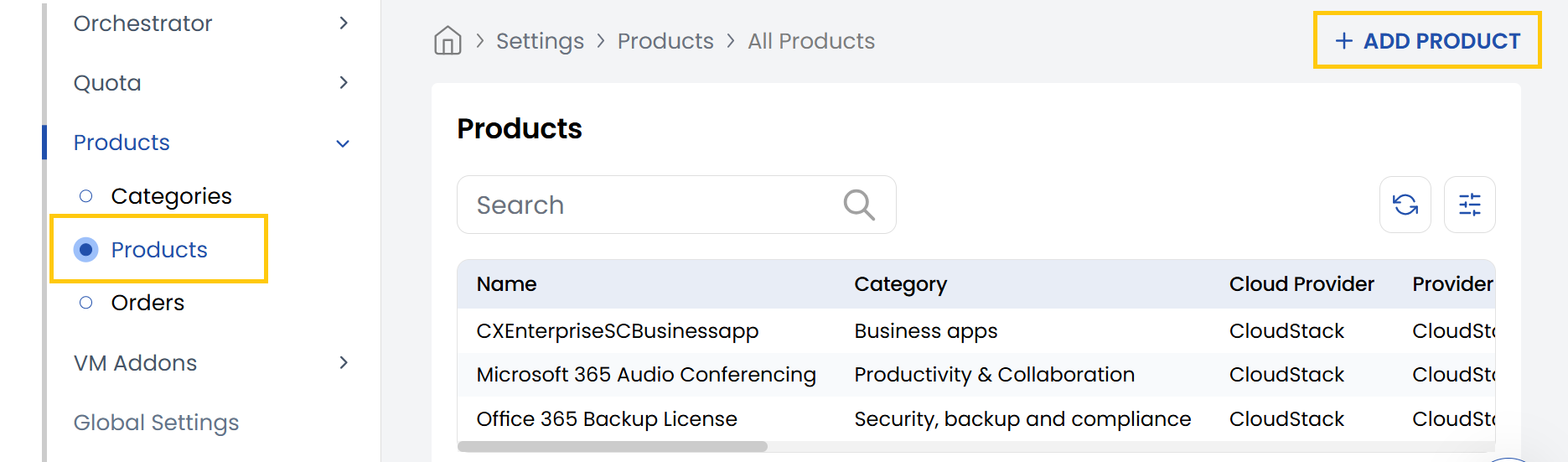
From the Products section in the left-hand side menu, navigate to Products to view the complete list of existing products.
-
To create a new product, click on Add Product located on the right-hand side of the page.
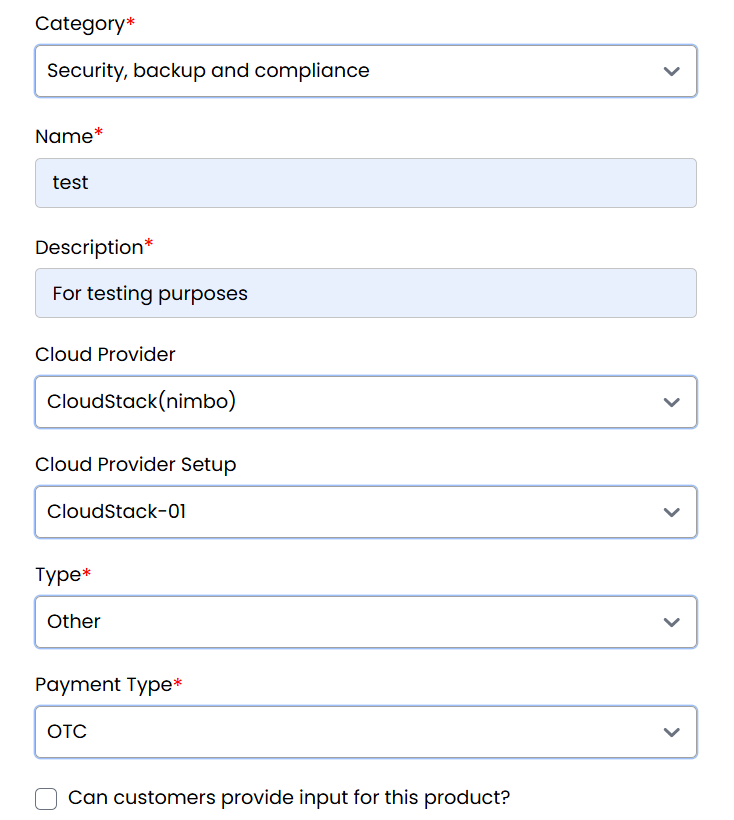
- Category: Select a category under which this product will be organized.
- Name: Enter the name of the product (e.g., "Virtual Machine", "Block Storage").
- Description: Add a brief summary describing the product’s purpose.
- Cloud Provider: Choose the platform (e.g., AWS, Azure, OpenStack).
- Cloud Provider Setup: Select the appropriate configuration based on the selected provider.
- Type: Define the product’s nature (e.g., Compute, Backup, Add-On).
Payment Settings:
- Choose Payment Type:
- OTC (One-Time Charge): Single payment per purchase.
- Recurring: Subscription-based payment model.
- Free: No cost to the customer.
- Can customers provide input for this product? Toggle if user input is required.
- Enable Service Contract: Enable to attach a contract agreement to the product.
Billing Configuration:
If the selected payment type is Prepaid, Postpaid, or Manual, you can configure the following:
- Billing Cycles: Set the frequency of invoicing (e.g., Monthly, Yearly).
- Billing Rules: Define limits, pricing thresholds, or tiered structures.
- Contract Status: Indicate if a customer must agree to a service contract.
- Cancellation Deadline (Months): Specify how early a cancellation notice must be given.
- Contract Discount: Apply discounts for long-term or contracted usage.
For advanced billing logic, refer to the Billing Details and Billing Rules Documentation.
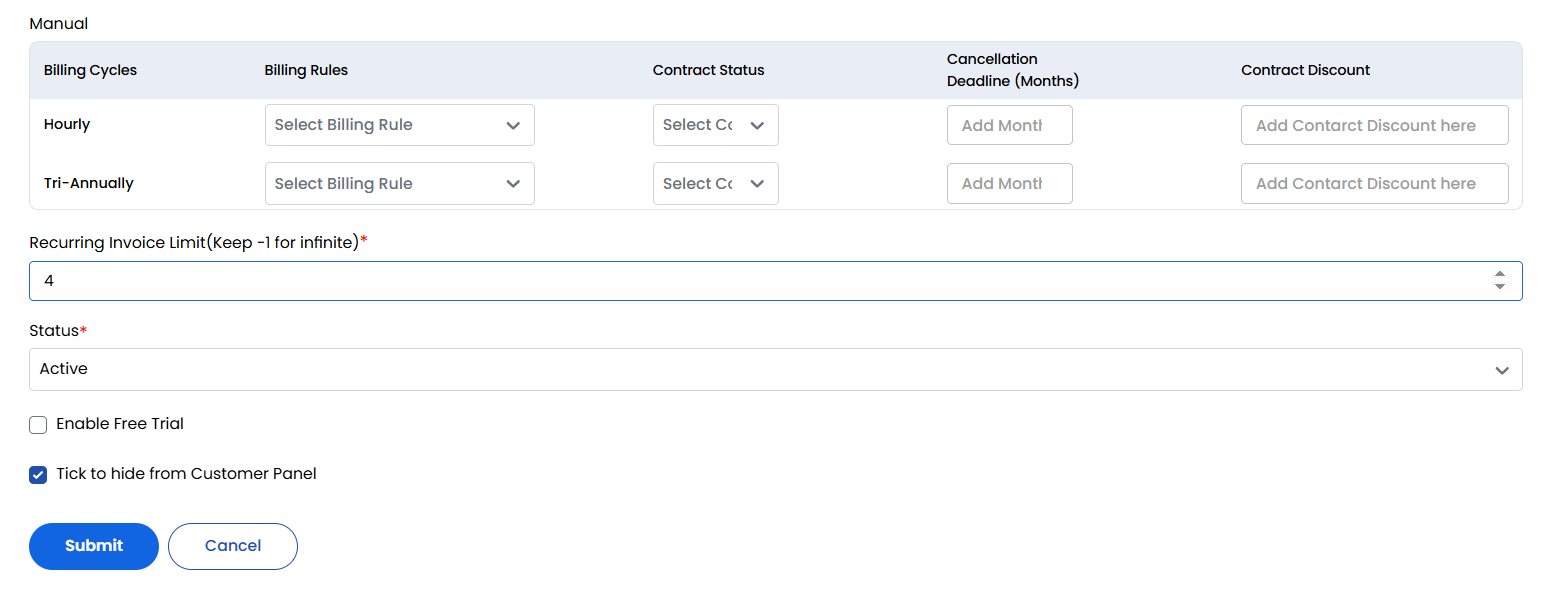
- Recurring Invoice Limit: Set how many times invoices will be generated. Use
-1for infinite. - Hide from Customer Panel: Toggle this option to keep the product internal or under development.
- Status: Set as Active to available for ordering or Inactive to make it unavailable.
Once all settings are configured, click Submit to save and activate the product.
Conclusion
The Products tab in StackConsole is where you define and manage the core offerings of your platform. With complete control over categorization, billing models, cloud integration, and customer interaction, you can build a powerful and flexible product catalog tailored to your business needs.